
What Really Matters When Buying a Laptop in India in 2026?
Buying a laptop in 2026 is no longer simply about choosing the newest processor, the most RAM, or the biggest storage capacity. Laptop buyers in India are becoming more conscious of real-world performance, battery life, display quality, AI capabilities, portability, after-sales support, and overall value for money. At the same time, the rapid growth of AI-capable notebooks is changing what people expect from a modern computer.
The result is a more complicated buying decision: a laptop that looks impressive on a specification sheet may not necessarily be the right laptop for your work, studies, business, or entertainment. So, what should you actually look for when buying a laptop in India in 2026?
Performance Still Comes First
For most buyers, performance remains one of the most important considerations. But “performance” is not determined by the processor alone.
A laptop’s real-world performance depends on several components working together:
- Processor
- RAM
- SSD storage
- Graphics processor
- Cooling system
- Power management
- Software optimization
For example, an expensive processor paired with insufficient RAM or slow storage can still result in a frustrating experience. For general office work, web browsing, accounting software, video meetings and everyday multitasking, a balanced configuration is usually more useful than simply buying the fastest processor available. For demanding workloads such as video editing, 3D rendering, engineering applications, professional design or gaming, the processor and GPU become considerably more important.
Don't Buy a Processor in Isolation
Processor model numbers can be confusing because two laptops with processors from the same family can deliver very different experiences depending on their thermal design, memory configuration and cooling system. When comparing laptops, look at the complete configuration rather than one specification.
Battery Life Matters More Than the Number on the Box
Battery life is another major consideration, particularly for students, professionals and people who regularly work away from a desk. However, advertised battery figures should not automatically be interpreted as the number of hours you will get during normal use.
Actual battery life can vary considerably depending on:
- Screen brightness
- Display resolution and refresh rate
- Processor workload
- Browser usage
- Video playback
- Background applications
- Wi-Fi usage
- Battery capacity
- Operating-system power management
A laptop used primarily for email and documents may last much longer than the same machine running video-editing software or games. For this reason, independent battery testing and real-world reviews can be more useful than relying exclusively on manufacturer specifications.
AI Features Are Becoming Part of the Laptop Buying Decision
AI is one of the biggest changes in the laptop market in 2026. Modern laptops increasingly include hardware and software designed to accelerate AI workloads. Depending on the model, this can involve CPUs, GPUs and dedicated neural processing units.
AI capabilities can support applications such as:
- Generative AI assistants
- Voice transcription
- Background noise reduction
- Image and video processing
- Live captions
- Productivity tools
- Camera enhancements
- Smart power management
- AI-assisted creative applications
However, buyers should be careful not to purchase a laptop simply because it carries an “AI PC” label. The important question is whether the AI capabilities are useful for your actual workload. If you mainly use Microsoft Office, accounting software, browsers and video conferencing, you may have different requirements from someone working with local AI models, professional creative software or machine-learning workloads.
RAM and SSD Storage Can Make a Big Difference
Two specifications that are often overlooked are memory and storage. RAM affects how comfortably a laptop can handle multiple applications simultaneously. SSD storage affects application loading, file transfers and overall system responsiveness.
For a modern Windows laptop, buyers should think carefully about how much multitasking they expect to perform. A student using a browser, Office applications and video calls has different requirements from a software developer running multiple development environments or a professional working with large media files. Storage capacity also deserves attention. A 512GB SSD may be adequate for many users, while photographers, video editors, gamers and businesses handling large datasets may need considerably more storage.
Display Quality Is No Longer Just About Screen Size
Laptop displays have improved significantly, and buyers are paying more attention to screen technology, resolution and refresh rate. When comparing displays, consider:
Panel Technology
IPS, OLED and other panel technologies can offer different combinations of colour reproduction, contrast, brightness and power consumption.
Resolution
Higher resolution can produce sharper text and images, although it may also increase power consumption and hardware requirements.
Refresh Rate
A higher refresh rate can make scrolling and animation feel smoother. It is particularly relevant to gamers, but can also improve the perceived responsiveness of everyday use.
Brightness and Viewing Conditions
A display that looks excellent indoors may not be comfortable to use near a bright window or outdoors. For professionals who spend several hours a day working on a laptop, display quality can have a much bigger practical impact than many buyers initially expect.
Portability vs Performance: There Is Still a Trade-Off
Thin and lightweight laptops are attractive because they are easy to carry. But portability can come with compromises. High-performance processors and dedicated graphics hardware generate heat and consume more power. Manufacturers therefore have to balance performance, cooling, battery capacity and chassis size.
A lightweight laptop may be ideal for:
- Students
- Consultants
- Travelling professionals
- Sales teams
- Frequent commuters
A larger laptop may make more sense for:
- Video editors
- Designers
- Engineers
- Gamers
- Developers
- Workstation users
The right choice depends on how you intend to use the machine.
Price Is Important, But Value for Money Matters More
A laptop’s purchase price tells only part of the story. A cheaper laptop may become expensive over time if it has poor battery endurance, inadequate performance, limited upgradeability, poor build quality or weak after-sales support. Similarly, an expensive laptop is not automatically better value. A better approach is to consider total cost of ownership.
This includes:
- Purchase price
- Warranty
- Battery replacement
- Repairs
- Accessories
- Storage requirements
- Software requirements
- Expected usable life
- Resale value
For a business, downtime should also be considered. A laptop that costs slightly more but keeps an employee productive may provide better value than a cheaper machine that creates repeated support problems.
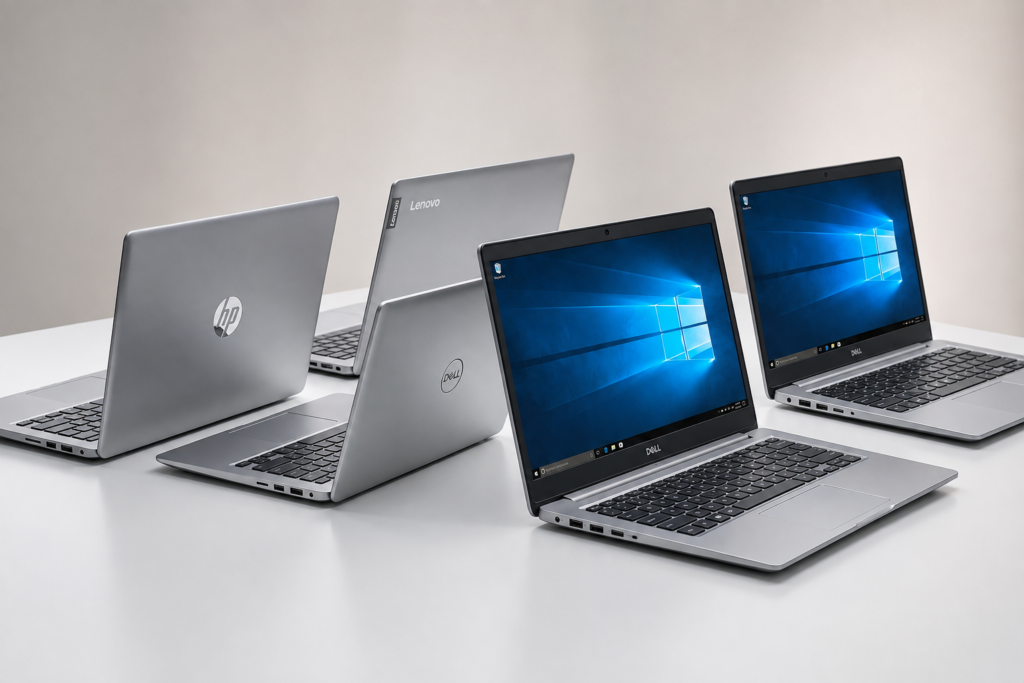
New vs Pre-Owned: What Should Buyers Consider?
Not every buyer needs a brand-new laptop. A properly inspected refurbished or pre-owned laptop can make sense for buyers with a limited budget, provided the device has been professionally evaluated.
Important checks include:
- Battery health
- SSD health
- RAM
- Display condition
- Keyboard and touchpad
- Ports
- Webcam and microphone
- Wi-Fi and Bluetooth
- Charger
- Thermal performance
- Operating-system condition
- Warranty or return policy
The key distinction is between an unknown used device and a professionally refurbished machine that has been tested and supported.
Online vs Offline Buying
Online shopping makes it easy to compare dozens of laptop models and prices. It also provides access to reviews, specifications and user feedback. However, offline retail still has an important advantage: the buyer can physically inspect the laptop before purchasing.
This can be particularly useful when comparing:
- Keyboard feel
- Trackpad quality
- Display brightness
- Build quality
- Weight
- Hinge construction
- Port selection
- Overall ergonomics
For businesses, buying locally can also provide an additional advantage when after-sales support or quick troubleshooting is important.
Interestingly, IDC’s 2026 data shows that traditional retail continues to play a meaningful role in India’s PC market even as e-commerce remains an important sales channel.
India's Laptop Market Is Moving Toward More Capable Machines
The broader Indian PC market is also changing. IDC reported that India’s traditional PC market shipped 4.4 million units in Q1 2026, representing 31.1% year-on-year growth. Notebook shipments reached 3.3 million units, while AI notebooks grew 96.1% year over year.
This indicates that AI-capable computing is moving beyond a niche category. At the same time, rising component costs are putting pressure on PC prices. IDC specifically highlighted pressure from components including DRAM and GPUs.
For buyers, this makes choosing the right configuration increasingly important. Paying for specifications you will never use is wasteful, but buying an underpowered laptop can result in an expensive upgrade much sooner than expected.
How to Choose the Right Laptop for Your Needs
Instead of starting with a brand, start with your workload.
For Students
Prioritize:
- Good battery life
- Comfortable keyboard
- Reliable performance
- Lightweight design
- Good webcam
- Adequate RAM and SSD
- Strong warranty support
For Office and Business Users
Look for:
- Reliable processor
- Sufficient RAM
- Fast SSD
- Good keyboard
- Business-grade support
- Strong connectivity
- Comfortable display
- Security features
For Creators
Prioritize:
- Powerful CPU
- Dedicated GPU where required
- High-quality display
- Sufficient RAM
- Fast and large SSD
- Good thermal performance
For Gamers
Focus on:
- GPU performance
- Processor performance
- High-refresh-rate display
- Cooling
- RAM
- SSD capacity
- Upgradeability
For Frequent Travelers
Weight, battery life, durability and charging convenience should generally take priority over maximum performance.
Don't Ignore After-Sales Service
The buying decision does not end when the laptop leaves the store. A laptop is a long-term technology investment, and service availability can become important when something goes wrong.
Before purchasing, check:
- Warranty duration
- Service center availability
- On-site support, where applicable
- Battery warranty
- Accidental damage coverage
- Replacement-part availability
- Repair turnaround expectations
This becomes especially important for businesses where a failed laptop can directly affect employee productivity.
A Better Way to Compare Laptops
Rather than asking, “Which laptop brand is best?”, ask these questions:
- What will I use the laptop for?
- How many hours will I use it away from a charger?
- How much multitasking do I normally do?
- Do I need dedicated graphics?
- Do I need an AI-capable PC?
- How important is display quality?
- How portable does it need to be?
- How long do I expect to keep it?
- What level of after-sales support do I need?
- What is my realistic total budget?
These questions produce a much more useful shortlist than simply comparing processor names.
Key Takeaways
- Laptop buying in 2026 is increasingly about real-world usability rather than specifications alone.
- Performance, battery life, display quality, portability and reliability should be evaluated together.
- AI capabilities are becoming an important part of the laptop market, but buyers should choose AI features based on actual needs.
- RAM, SSD storage and thermal design can have a significant impact on everyday performance.
- Online and offline purchasing each have advantages, so price should not be the only deciding factor.
- For businesses and professionals, warranty and after-sales support should be considered part of the laptop’s overall value.
Frequently Asked Questions
What is the most important thing to consider when buying a laptop?
There is no single specification that is most important for everyone. Performance, battery life, display quality, portability and reliability should be evaluated according to your specific workload.
How much RAM should a laptop have in 2026?
The appropriate amount depends on the workload. Basic users have different requirements from developers, creators, engineers and gamers. It is better to select RAM based on expected usage rather than choosing the largest number available.
Are AI laptops worth buying?
AI-capable laptops can be useful when the software you use benefits from local AI acceleration. Buyers should evaluate the actual AI applications they expect to use rather than purchasing solely because a laptop is marketed as an AI PC.
Is buying a refurbished laptop safe?
A professionally refurbished laptop can be a practical option, particularly when it has been tested, comes with a clear warranty and has undergone checks for battery, storage, display, ports and overall performance.
Should I buy a laptop online or from a local computer store?
Both options can work. Online stores make price comparison convenient, while local retailers allow physical inspection and may provide easier access to installation, configuration and after-sales assistance.
Is a higher processor number always better?
No. Processor performance depends on the processor generation and architecture, power limits, cooling, memory, storage and the overall laptop design. Compare the complete configuration rather than relying on the model number alone.
How long should a laptop last?
There is no universal lifespan because usage, maintenance, hardware quality and workload vary. Buyers who expect to keep a laptop for several years should consider performance headroom, build quality, warranty and service availability when purchase.
Conclusion
- The best laptop in 2026 is not necessarily the laptop with the highest specifications or the highest price.
- It is the laptop that matches the user’s workload, budget and expectations.
- Students may prioritize portability and battery life. Businesses may value reliability and support. Creators may need powerful graphics and a high-quality display. Gamers may prioritize GPU performance and cooling. Professionals working with AI applications may benefit from newer AI-capable hardware.
- The smarter approach is therefore to define your requirements first and compare laptops second.
- A well-chosen laptop should not simply perform well on a specification sheet. It should remain useful, reliable and comfortable throughout the years you intend to use it.
Conclusion
- The best laptop in 2026 is not necessarily the laptop with the highest specifications or the highest price.
- It is the laptop that matches the user’s workload, budget and expectations.
- Students may prioritize portability and battery life. Businesses may value reliability and support. Creators may need powerful graphics and a high-quality display. Gamers may prioritize GPU performance and cooling. Professionals working with AI applications may benefit from newer AI-capable hardware.
- The smarter approach is therefore to define your requirements first and compare laptops second.
- A well-chosen laptop should not simply perform well on a specification sheet. It should remain useful, reliable and comfortable throughout the years you intend to use it.